Read widely. Keep the sources.
Gather material, compare sources and turn the findings into a report you can check.
Research and sources ↗LOCAL-FIRST · YOUR EVERYDAY AI COMPANION
Good company. Real work.
Turn a request into an editable file, a researched answer, or a task that keeps moving. On your PC, with the model you choose.
Windows 10 / 11 · Free software · Bring your own model
The app is Chinese-first. The guide is now in English.
FROM A ROUGH BRIEF TO SOMETHING USEFUL
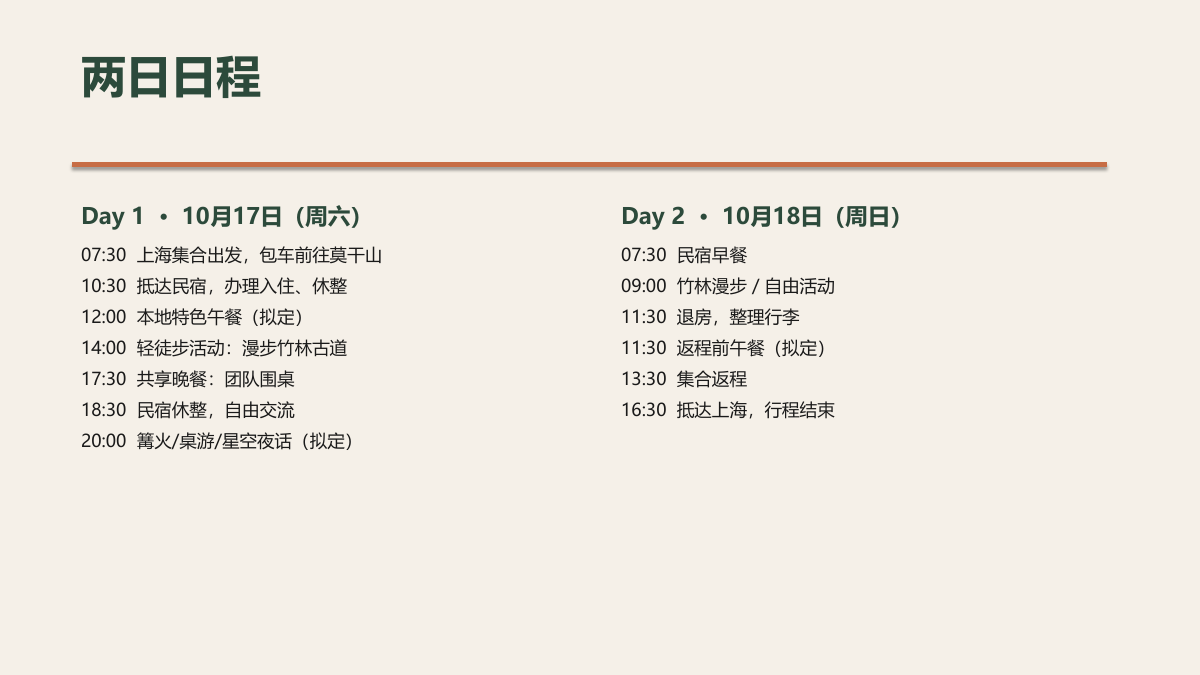
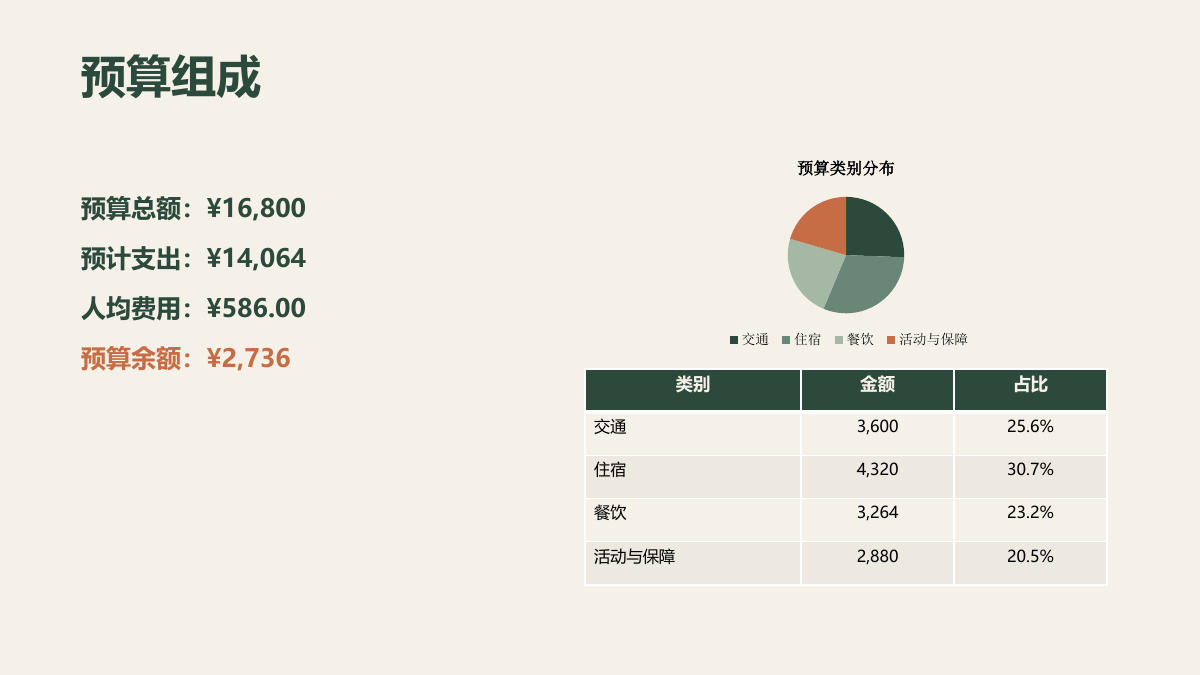
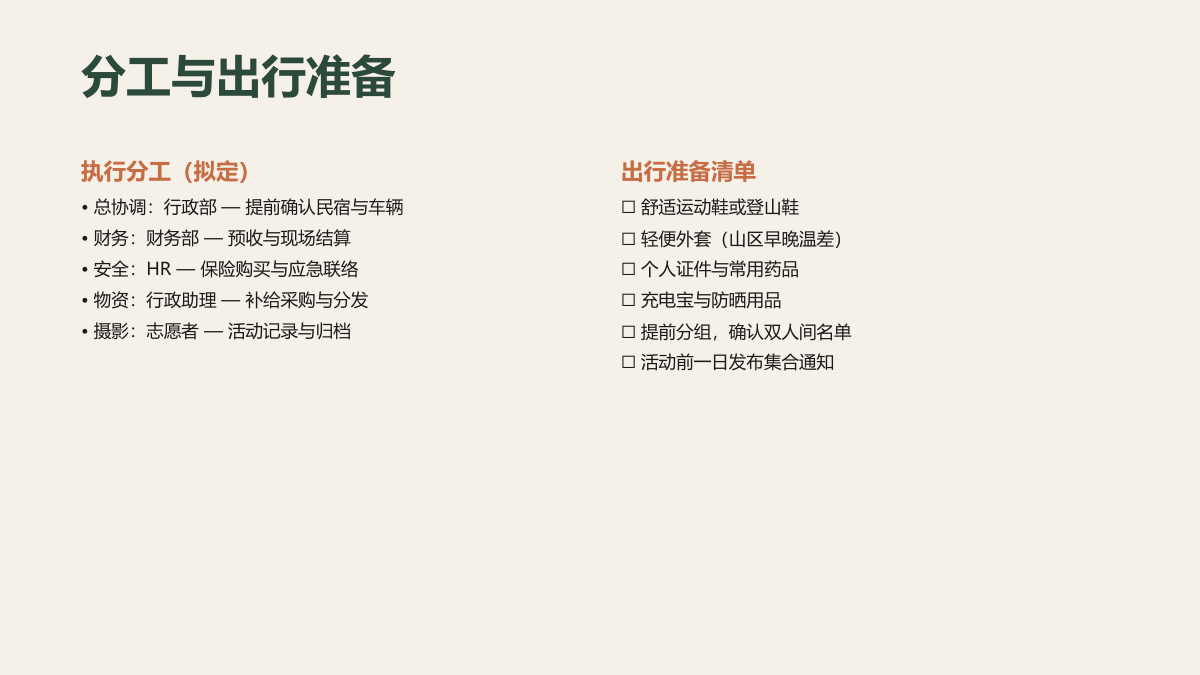
A picture and a cost sheet become a budget,
a plan, a presentation and a working webpage.
Then you ask for the next change.
A designed demonstration based on real editing results. The pacing does not represent task execution time.
Read-only previews & production notes ↗“Carefree” — Kevin MacLeod (incompetech.com), CC BY 4.0. Edited, mixed and combined with interface sound effects.
KEEP WORKING IN THE FILE
One team weekend, five kinds of follow-up. Make a change yourself, let Miaoclaw continue, and save the result in the app.
WHAT CHANGED IN THIS EXAMPLE
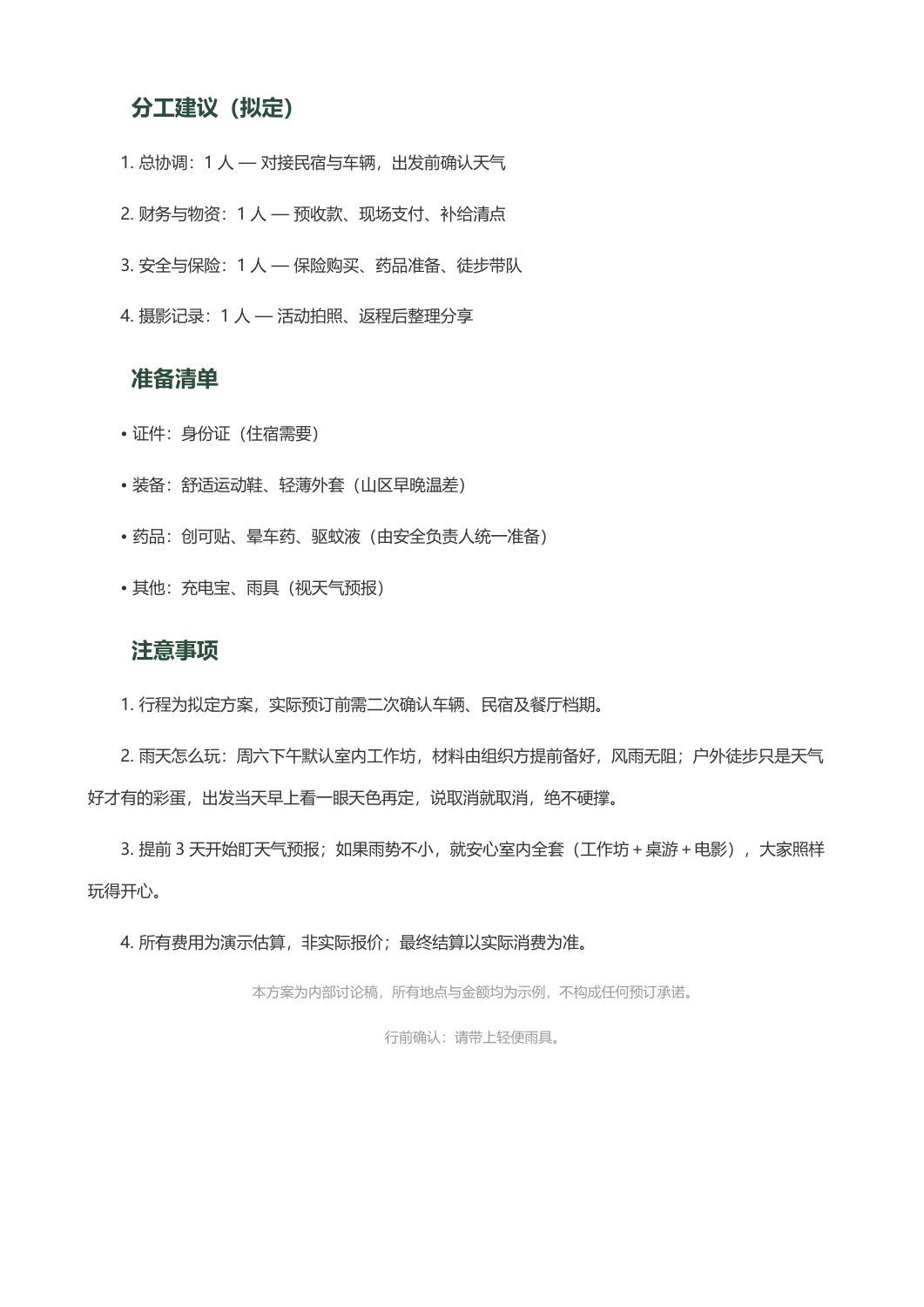
Write a short reminder to bring light rain gear at the end of the document.
Ask AI to continue from the current draft, refining the indoor alternative and responsibilities.
The exported plan keeps the revised arrangements and the reminder you added.
In Miaoclaw · Save / Save As / Export PDF
WHAT CHANGED IN THIS EXAMPLE
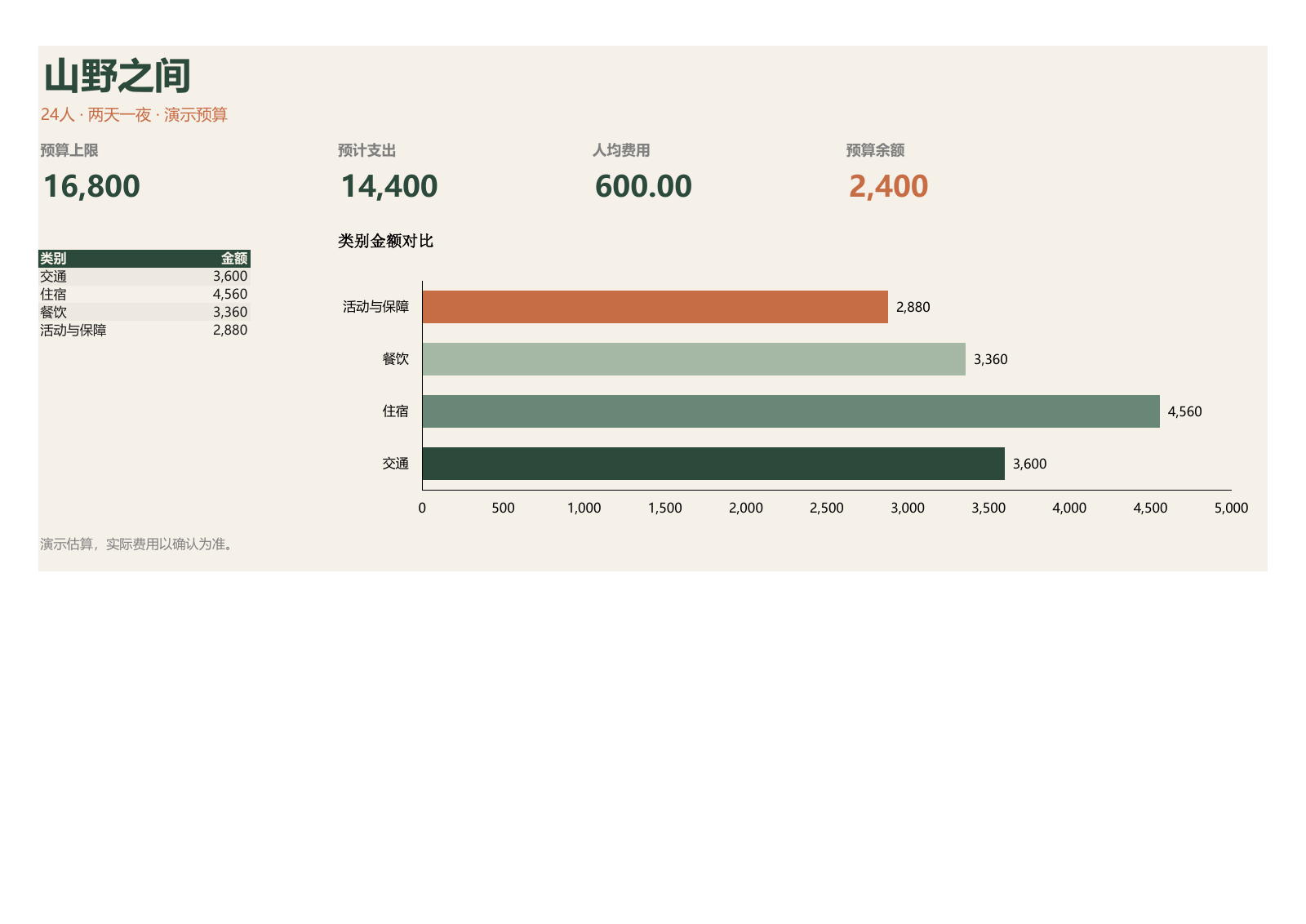
Edit the rate yourself. The accommodation total becomes 4,560.
Let AI continue with the draft, preserving your note about adjacent rooms.
Total: 14,400. Per person: 600. Remaining: 2,400. The saved workbook stays editable.
In Miaoclaw · Save / Save As / Export PDF
WHAT CHANGED IN THIS EXAMPLE
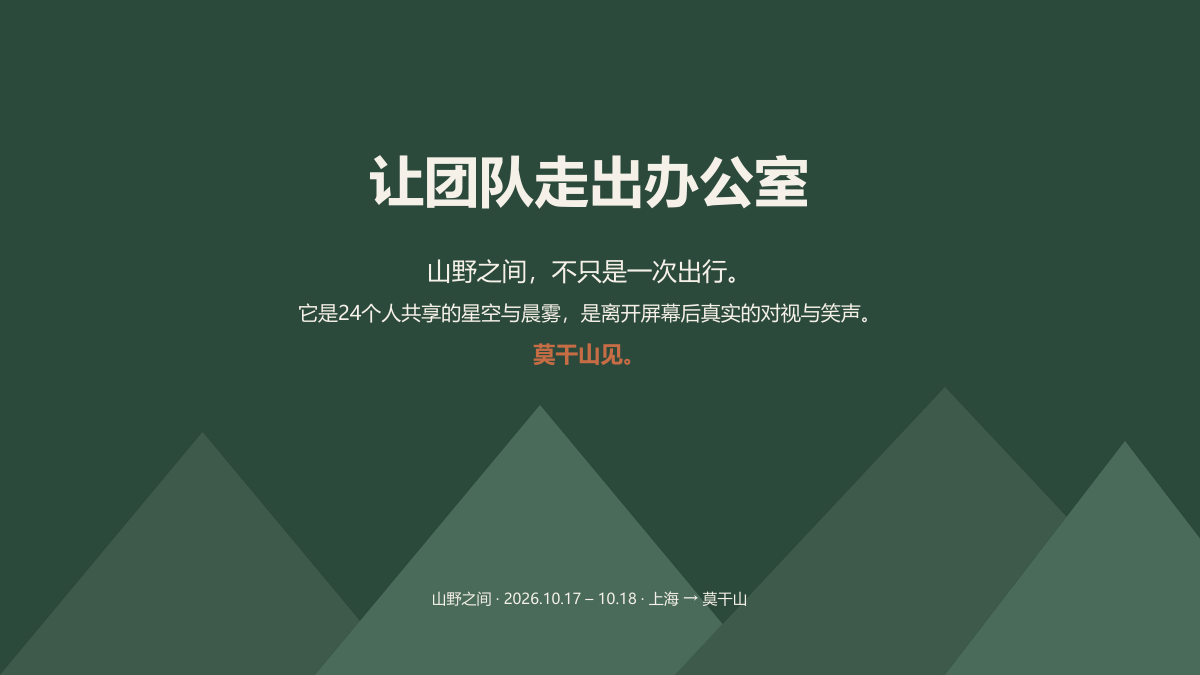
Change the cover title to “An autumn outing” and update the subtitle yourself.
Revise the coordination note on slide four while keeping the rest of the deck.
Preview the five slides here. Keep the editable presentation and export a PDF in the app.
In Miaoclaw · Save / Save As / Export PDF

WHAT CHANGED IN THIS EXAMPLE
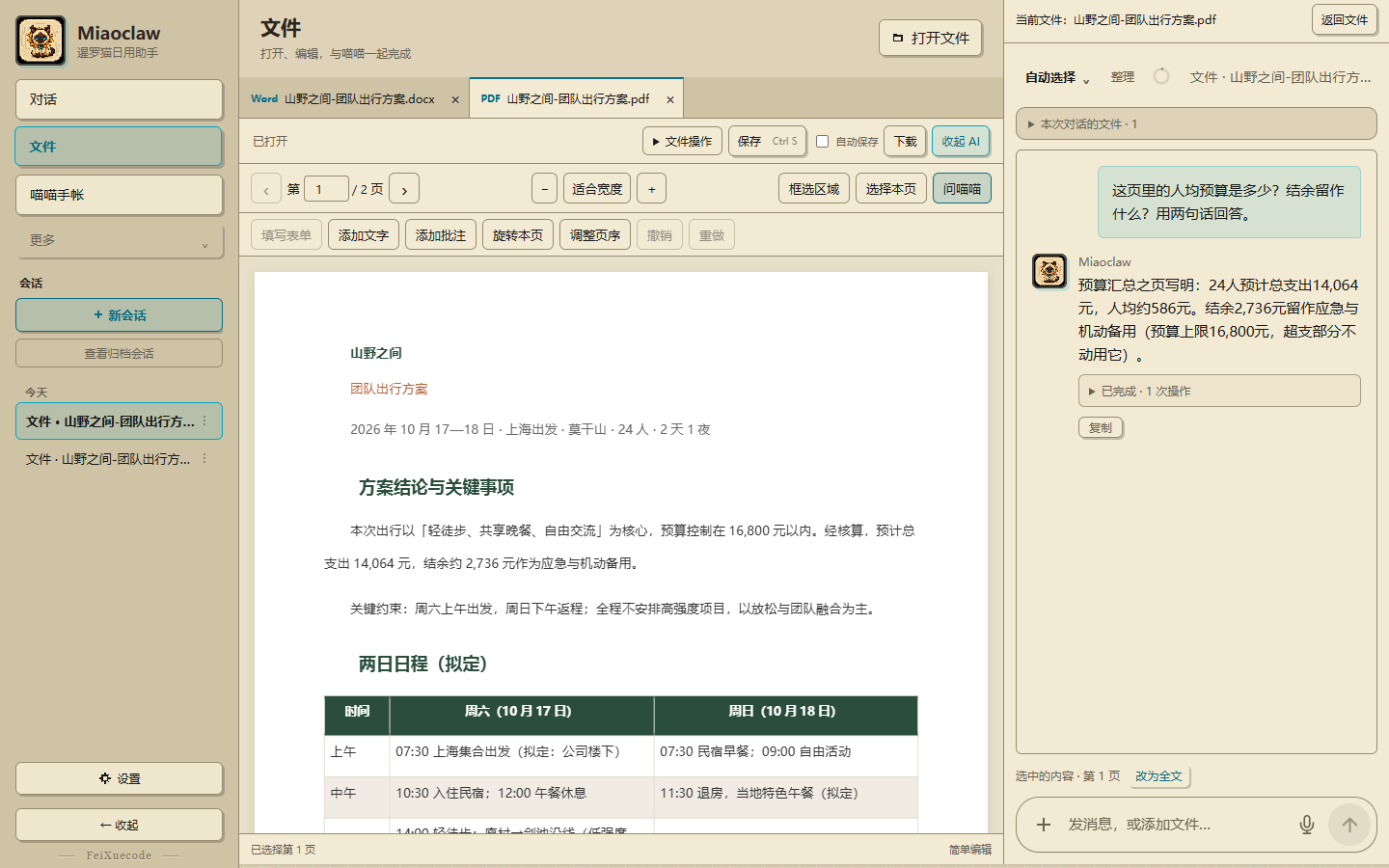
Read a page, select text, or frame a specific area.
“What is the per-person budget? What is the surplus for?” The answer uses the selected content.
Fill ordinary forms, add text or annotations, rotate and reorder pages. Existing body text is not rewritten.
In Miaoclaw · Read / Ask / Simple edits
WHAT CHANGED IN THIS EXAMPLE
Meeting time, things to bring and the wet-weather plan stay in plain text.
Keep the rain-gear reminder you wrote and change the meeting time to 08:10.
Save, make a copy, or return to a previously recorded version.
In Miaoclaw · Save / Save As / Version history
山野之间 · 行前提醒

集合:周六 08:10,公司楼下
随身:身份证、水杯、舒适的鞋
雨天:保留室内工作坊,调整户外徒步

人工补充:请自带轻便雨具。KEEP THE WORK, AND THE WAY BACK
Save the current file, keep a separate copy, or export a PDF to share. Find the files again in their linked conversation.
Your changes and the AI edits stay together.
Inspect recorded versions and restore one when needed.
Keep the editable source and share an exported copy.
PDF export from Word, Excel and PowerPoint requires an available native Office engine.
AWAY FROM YOUR DESK
Upload a file to your connected PC, read it, ask questions and collect the result. Continue in the linked conversation.
TXT and ordinary PDF editing are available on mobile; in-place Office editing happens on the PC. Your connected PC must stay online.
Connect your phone ↗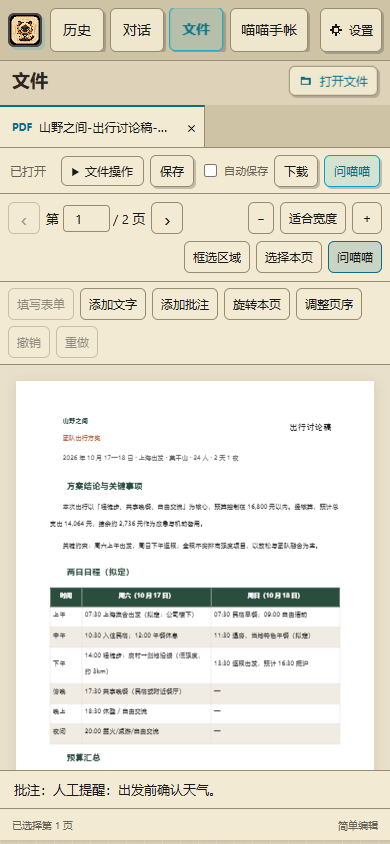
Gather material, compare sources and turn the findings into a report you can check.
Research and sources ↗Keep links, pictures and ideas in Notes. Find, organize and develop them later.
Notes and quick capture ↗Schedule a briefing or leave a task in a folder. Give continuing work somewhere to start.
Tasks and reminders ↗Oreo the Siamese and Egg Tart the Abyssinian each have their own character. A summon brings one at random. Off by default; you choose the model, tone and quiet hours.
Meet the desktop companions ↗

Find past chats, notes and knowledge. Inspect, correct or delete saved memories.
Choose a source and a goal. Meaningful changes can produce a draft for review. This trial starts off.
Dictation becomes an editable draft before sending. Local transcription works offline after setup.
Use Ctrl+Alt+M for an always-on-top mini window. Find generated files in the workbench.
Presets, custom connections, multiple keys and supported thinking controls. Standard APIs and Coding Plans stay distinct.
Install skills, toggle groups, import role cards or connect the MCP tools you choose.
Optionally use a second model to review important work. It takes extra time and model credits.
Use a private bot for text, images, files and permitted Bitable work. It stays off until configured.
Authorize a Chrome tab. Keep per-action permission or explicitly allow a short, continuous session.
Describe a desktop task in chat. Watch Miaoclaw switch apps, click and type, and stop it at any time.
MOJO × MIAOCLAW
Browse Mojo's curated prompts for writing, images, video and engineering. Preview, adapt and copy a prompt, whether or not you have Miaoclaw installed.
Supported “Try in Miaoclaw” prompts open for review first. Only your confirmation places them in a chat draft; nothing is sent or run automatically.
Explore Mojo ↗How the handoff works →CLEAR ABOUT THE THINGS THAT MATTER
Miaoclaw does not include an AI subscription. Connect your own provider; model usage is billed directly by that provider, without a Miaoclaw markup.
See local daily and monthly estimates and set a budget. Known estimated limits pause new automatic work; they are not a hard cap on your provider's bill.
Understand costs ↗Chats, memories, notes and files are stored locally by default. Cloud models and external tools receive the content needed for the tasks you request.
Installed local OCR and speech recognition can run offline. Local accounts keep chats, keys, files and drafts in separate private spaces. Create an account from your existing data before opening it, and keep encrypted backups for that account.
Accounts and existing data ↗GIVE MIAOCLAW A PLACE ON YOUR PC
Follow the installer. The first private-space driver installation may need administrator approval or a restart. New users create an account and save its recovery credentials; existing users keep their accounts when updating.
Add your provider's API key in settings. Choose the connection that matches your API or plan.
Attach a file, describe the result you want and keep refining it in the conversation.
ON YOUR COMPUTER
Windows 10 / 11 · Chinese-first interface
Download Miaoclawv4.4.2v3 · 591.3 MBGitHub mirror ↗V7 installations can use the V8 hot update. Earlier versions and new installations need the V8 full installer. Keep your existing directories and accounts. Recover older data before opening a new account. Update instructions →
WHEN YOU STEP AWAY
Pair with a local account on your PC. Keep the PC online and that account unlocked.
Download Android App ↗Open the mobile web app ↗Android shell v0.5.2 · Browser access on Android and iOS. Android adds sharing and native notifications. Interface 4.2.1 requires shell 0.5.1. A normal update from 4.2.0 keeps your pairing; pair again after restoring a backup or migrating older data. Check the update order →
The installer is currently unsigned, so Windows or your browser may show an uncommon-download or unknown-publisher notice. Confirm that you downloaded it from this website or the official GitHub release before choosing to continue. See the installation guide for details.